
Features
What Nuromi actually does
Every clip below is the real product running on a live workspace, recorded start to finish, not a mockup.
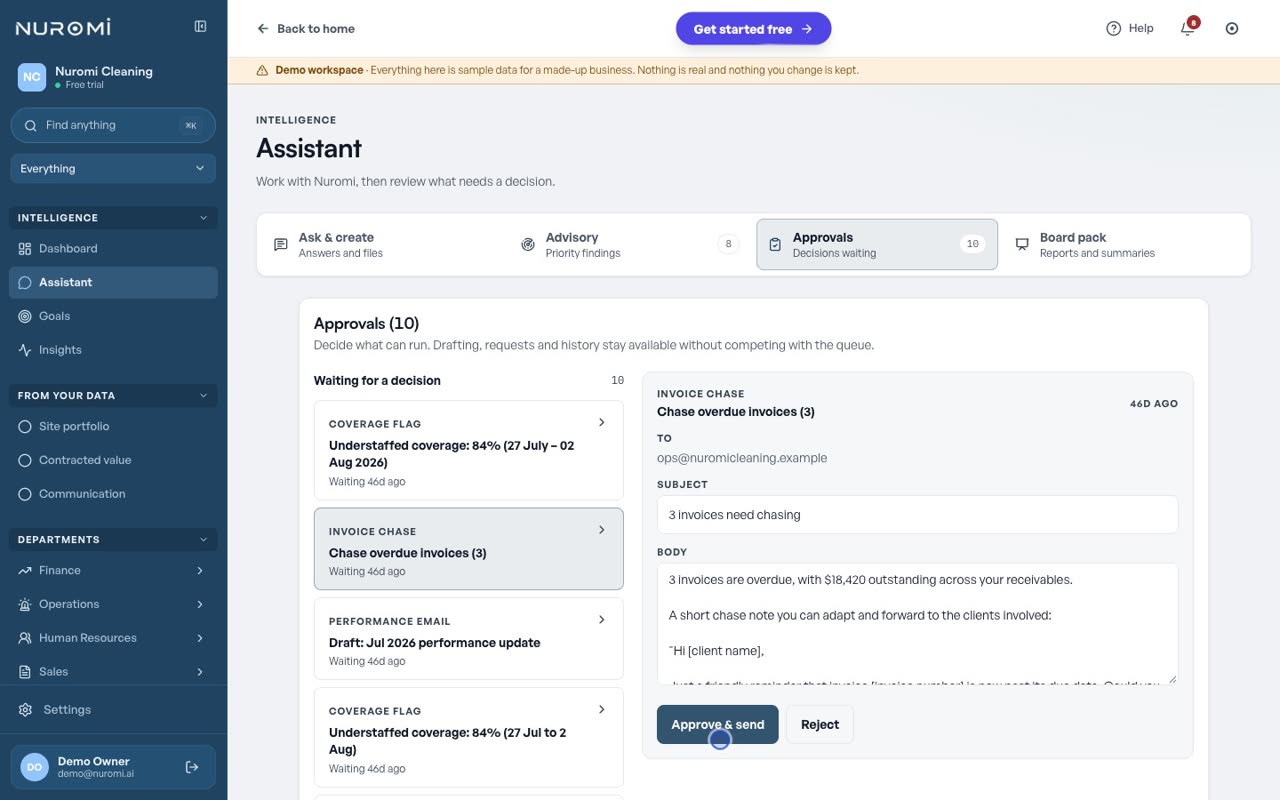
Nothing goes out without your approval
Every action Nuromi proposes waits in one queue until a person approves it.
- Nuromi drafts the action. You read it in full, then approve it, edit it or reject it.
- Client emails, invoice chases, coverage flags and certificate warnings all queue in the same place.
- Each proposal keeps an audit trail naming what triggered it and which of your own data it read.
- Unattended sending is off until you switch it on, and only for the risk level you choose.
Client performance emails, already written
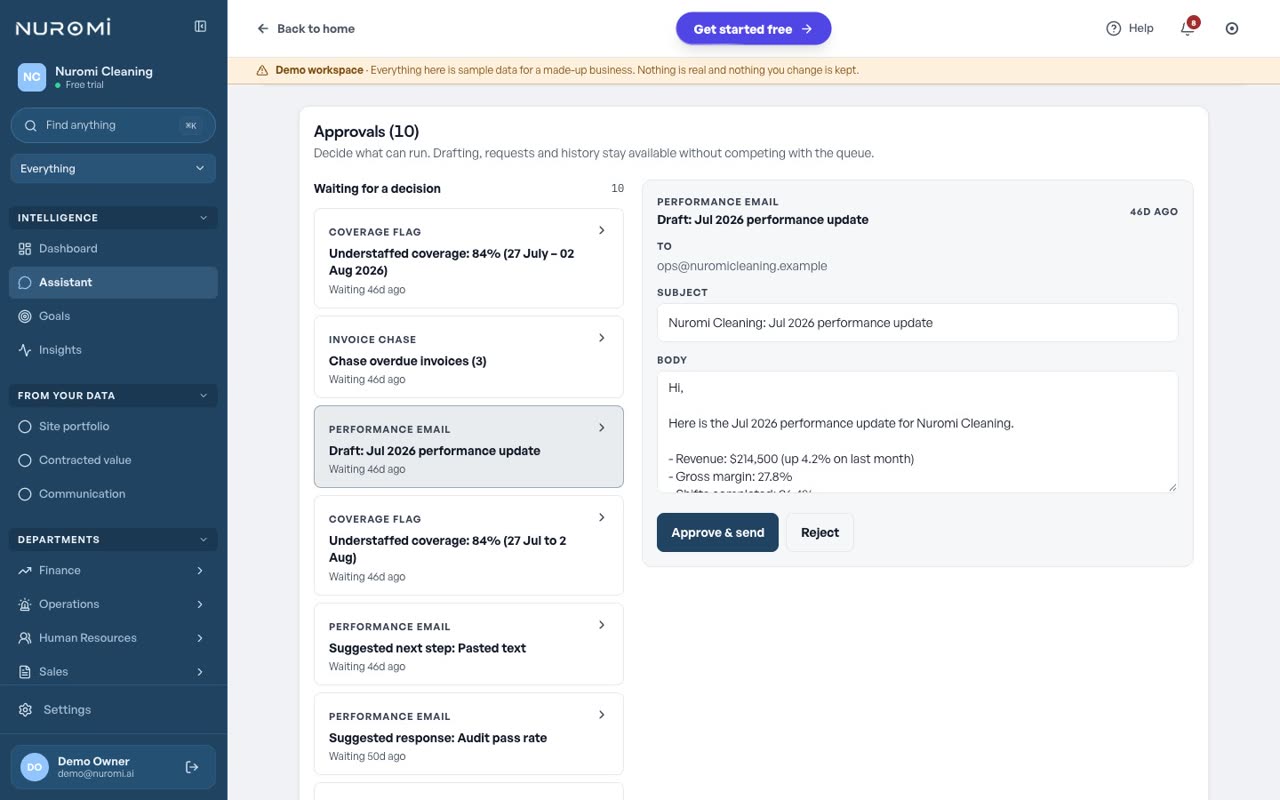
Nuromi drafts the monthly update to your client, and you decide whether it sends.
- The draft arrives with a recipient, a subject and a body you can edit before it goes.
- Every figure in it is computed from your connected systems rather than typed in by hand.
- Approve and send, or reject it and nothing leaves the building.
- Invoice chases and coverage flags use the same review card, so there is one thing to learn.
Every site, answered in a sentence
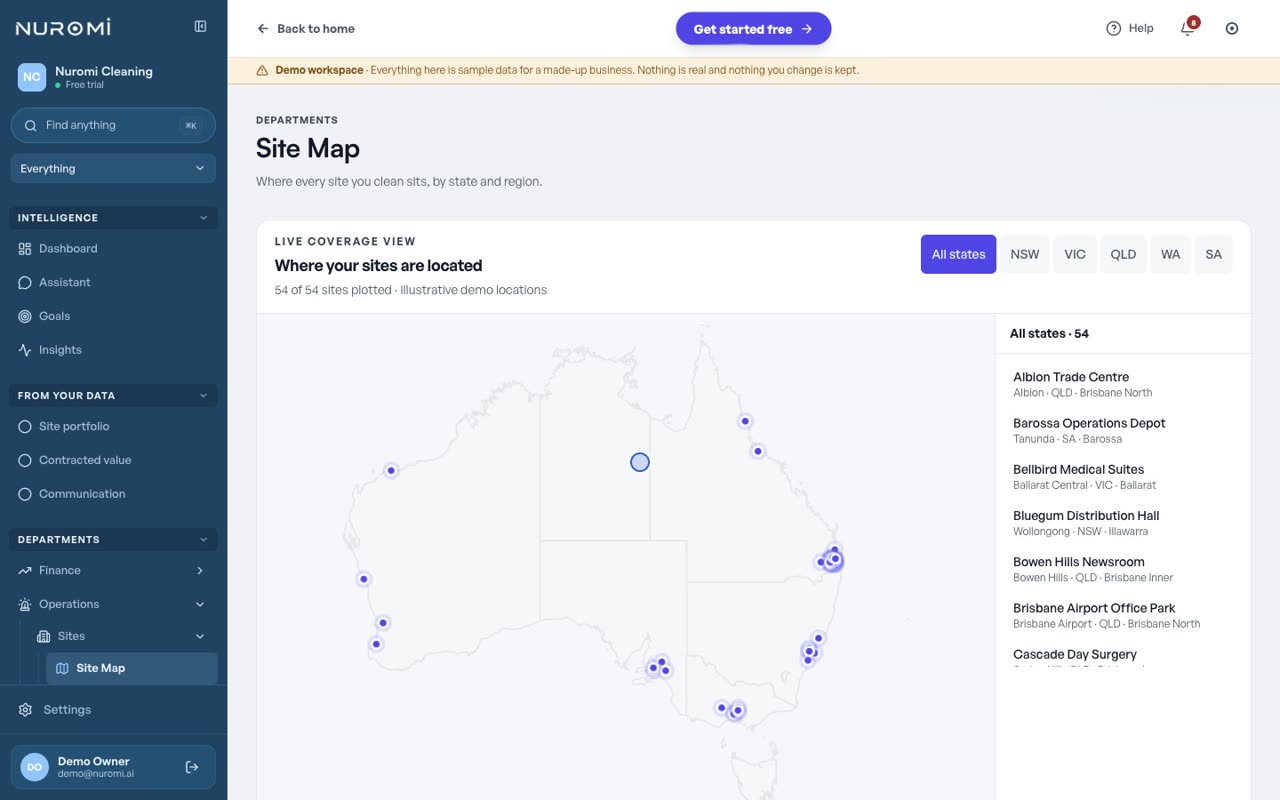
Every site you clean carries its own line: the client, the last inspection, how long since anyone was there and what the contract is worth.
- One row per site, with its client, its latest inspection score and the days since that inspection.
- The same portfolio is plotted on a map by state and region, so a run of amber in one city is visible without reading a table.
- The assistant's own finance read comes back one row per site, not one blended figure for the whole business.
The business partner you wish you always had
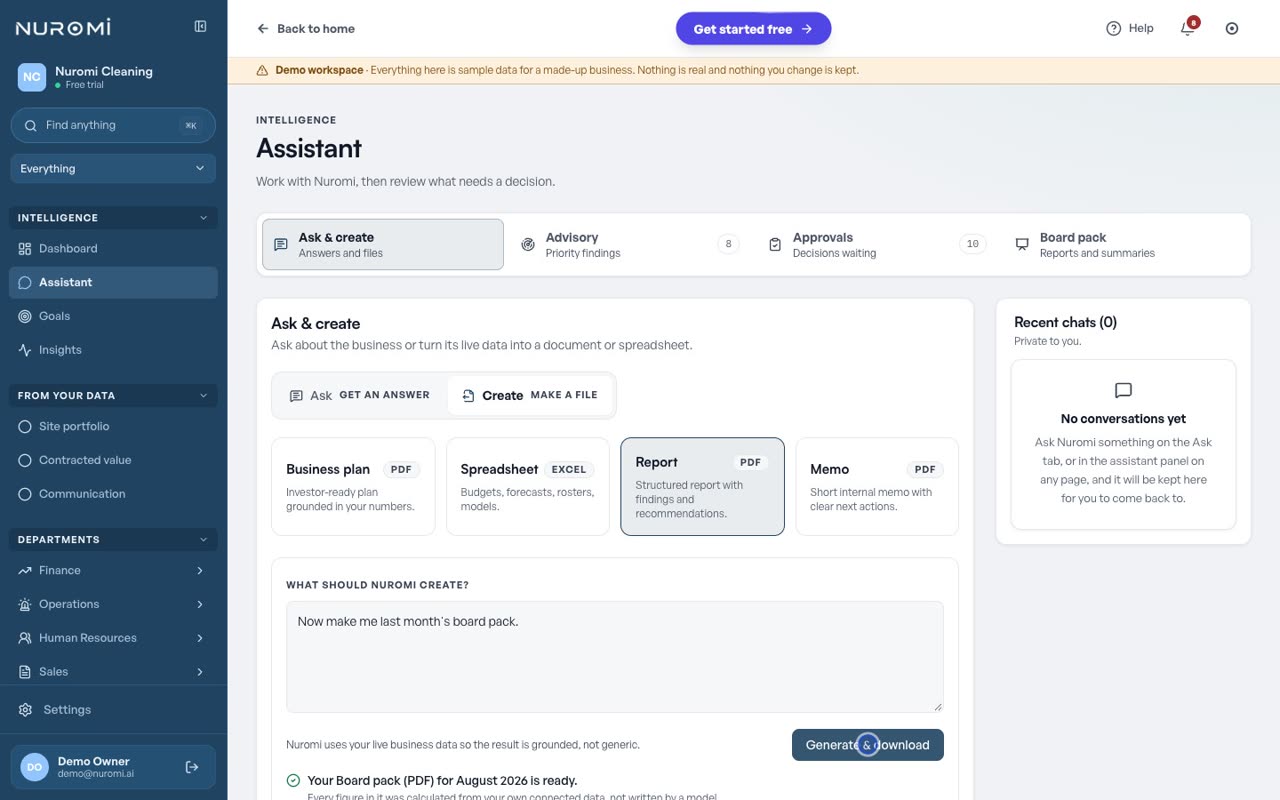
Describe the file you need in a sentence and Nuromi builds it from your live data while you wait.
- Ask for the monthly workbook, the board pack or the management report by name and Nuromi builds the real one, not a lookalike of it.
- Those three are computed from your own connected data, not written by a model.
- Or describe something else in a sentence: a business plan, a structured report, a short memo.
- Attach a spreadsheet or a statement to a question and it is saved to Documents, where Nuromi keeps reading it.
Certificates flagged before they expire
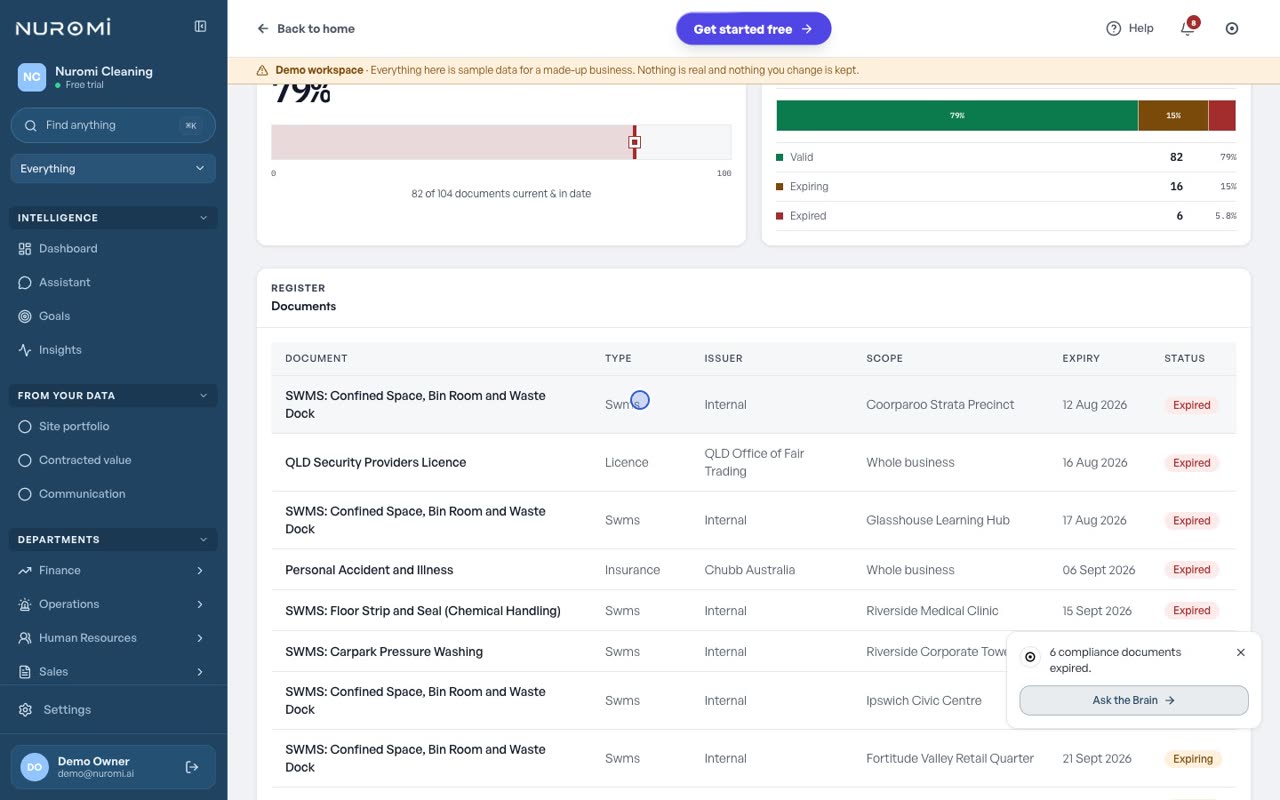
Insurance, ISO certifications, licences and SWMS, tracked against their expiry dates.
- Every document reads current, expiring or expired, with its issuer and expiry beside it.
- A SWMS can be scoped to one site, so a site method statement is not buried in a whole-of-business register.
- Turn on the certificate watch and anything inside sixty days is raised as a proposal for you to approve.
- Insurance, ISO certifications, licences and SWMS sit in one register, with the site each one covers.
Goals tracked against live metrics
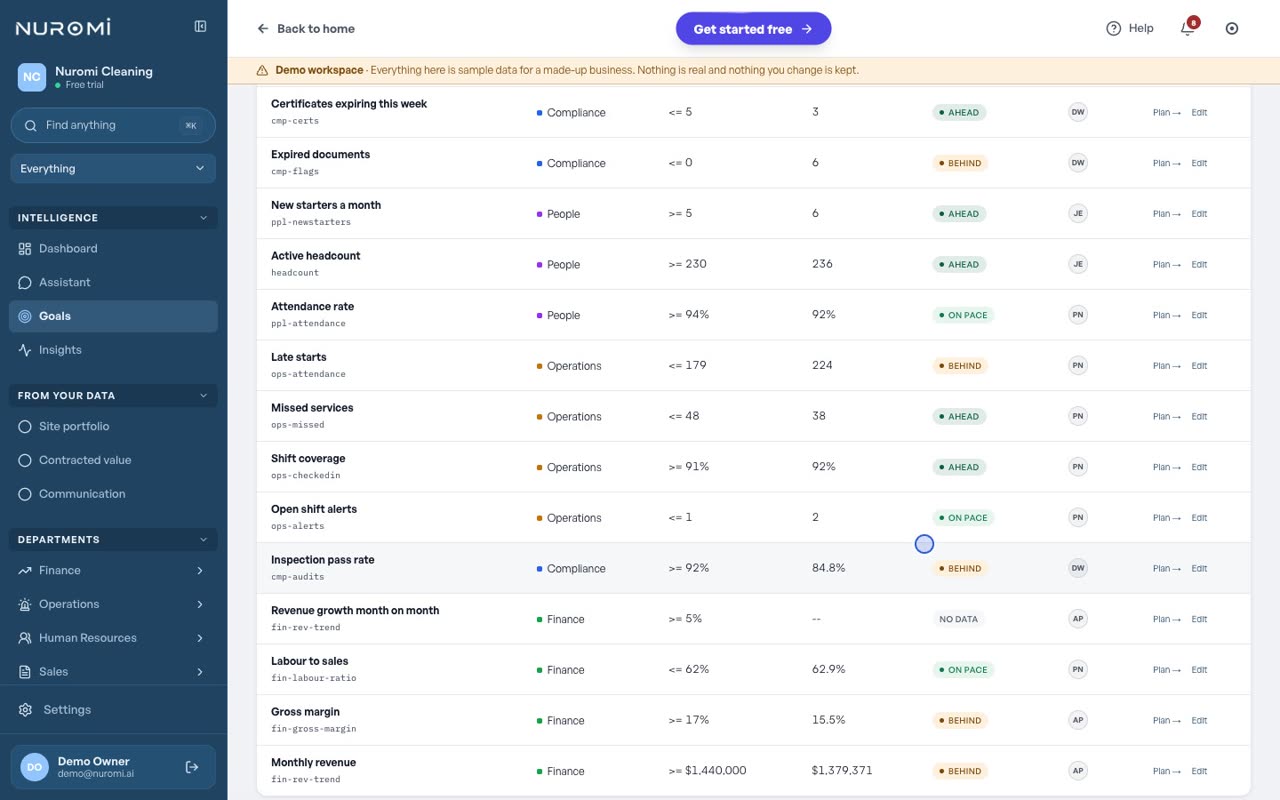
Every metric can carry a target, and pace is computed from your real history.
- Target, current value, pace and owner, one row per metric.
- Ahead and behind sit side by side, so what is slipping is visible without opening anything.
- Department goals roll up to one company target, with a named owner on each.
- A metric with nothing feeding it reads no data, rather than showing a number nobody can stand behind.
Record the meeting, Nuromi looks after the notes
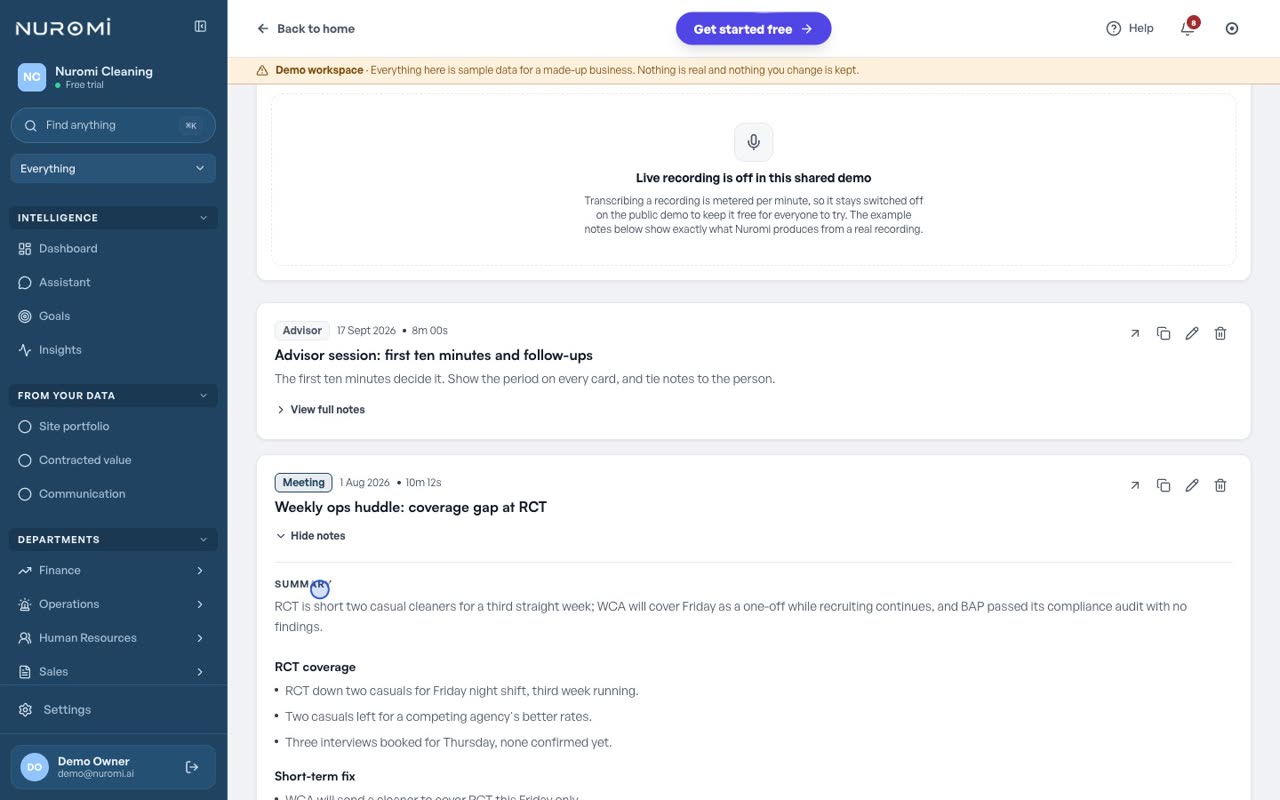
Record a note in the dashboard or drop in a recording, and clean minutes come back.
- A summary, the decisions, the action items and the open questions, in that shape every time.
- Action items carry an owner and a status, and can be tied to a person on their record.
- Toolbox talks, site walks and client reviews all come back the same way.
- Upload a recording you already have, or record straight into the dashboard.
- The summary, the decisions and whatever is still open become context your assistant answers from.
Ask Nuromi, in plain English
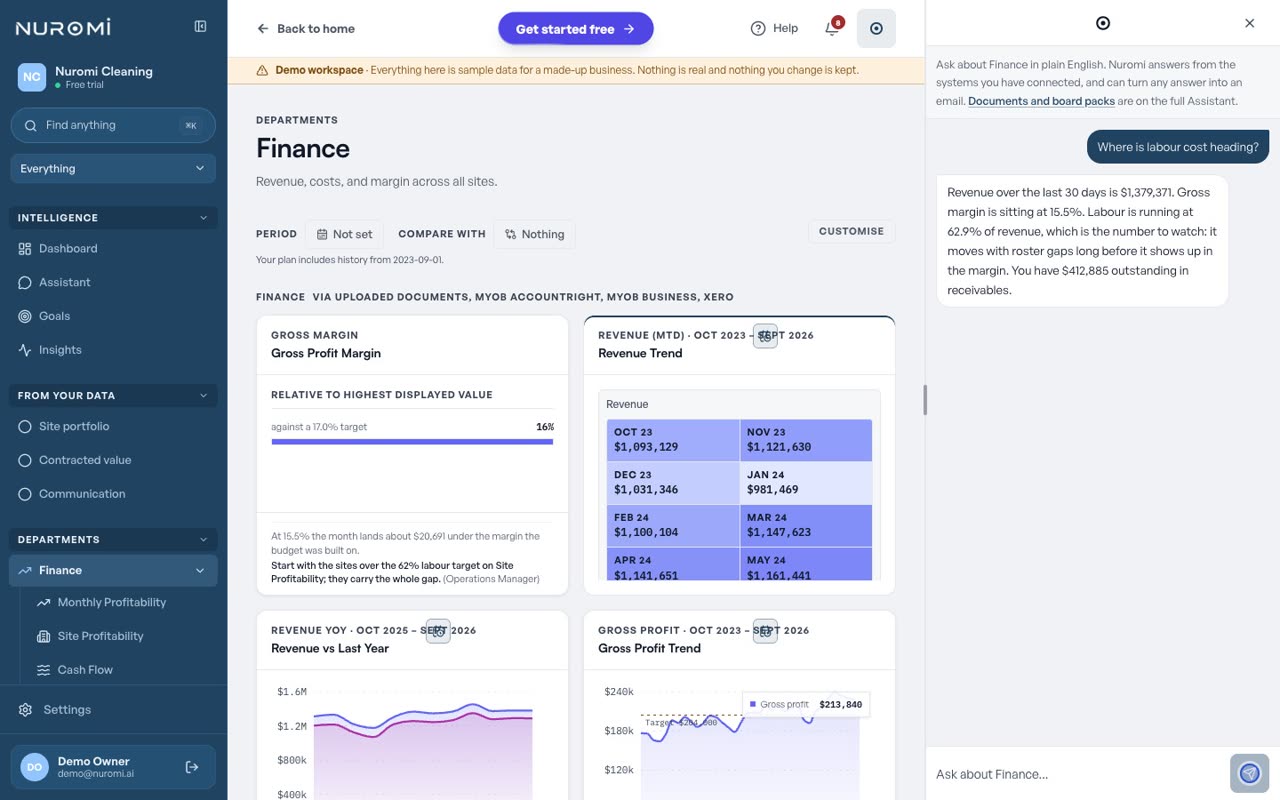
A docked panel on every page that answers from the systems you have connected.
- Ask about the page you are on, or about the whole business.
- Answers are computed from your own connected data, with the figures named in the reply.
- Turn an answer into an email draft that waits for your approval before it sends.
- When the data behind a question is not connected yet, it says so rather than guessing.
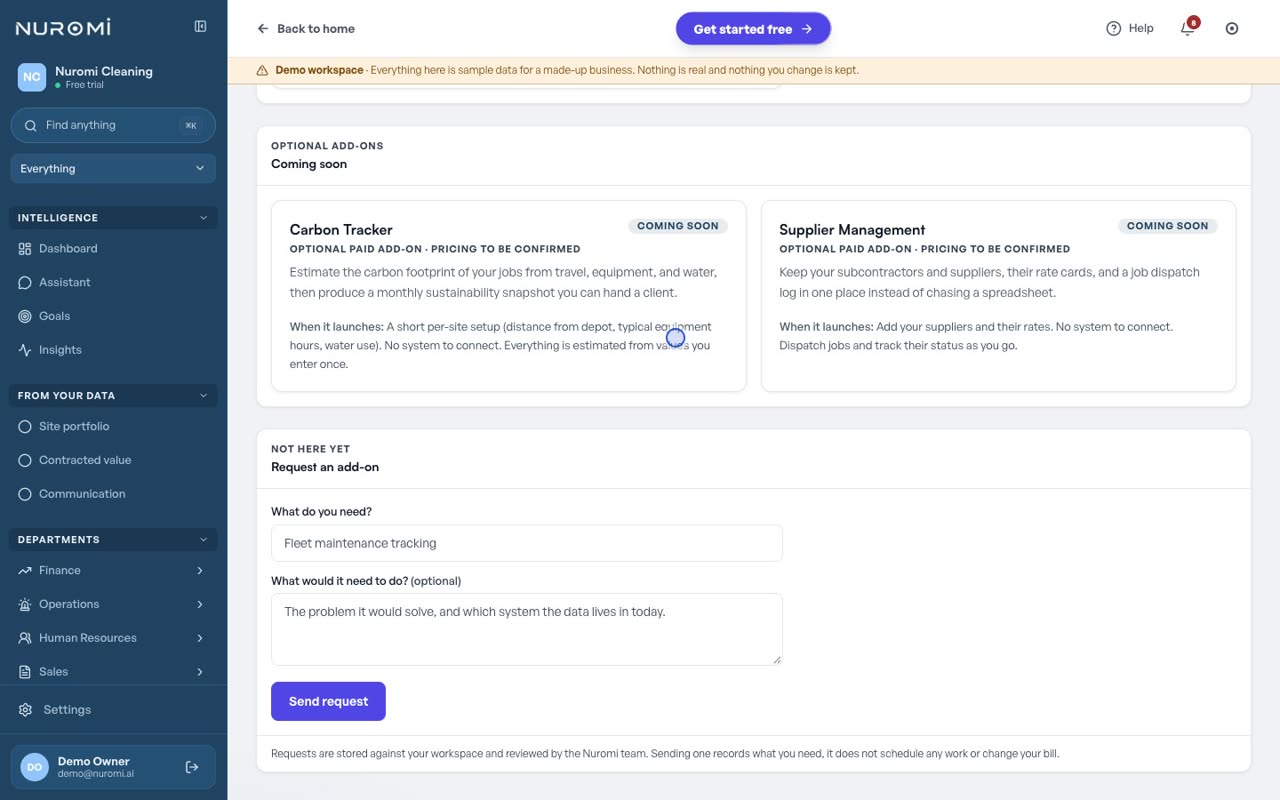
Marketplace: be first to the add-ons for your plan
What is on the way sits in the Marketplace, described in full, with nothing to buy until it ships.
- Client portals, a carbon tracker and supplier management are listed today, each marked coming soon.
- Every card says what the add-on does and what setting it up will involve, with no launch date and no price attached to it.
- Ask for the capability your business needs next and the request goes on the list.
See it on your own numbers
Nuromi runs live inside Commercial Property Cleaning, around 500 staff across five states. Start a 14 day free trial, or open one of the live demo workspaces first.